Module 07 · Seller Signals · Product View
One product view: price, conversion, competition and ads — together.
Built by an operator. The screen we actually use to make a pricing call.
Most tools make you stitch price, conversion, competitor moves and ad coverage together from four places — by which point the moment's gone. We built one product page that puts them on the same timeline, because that's where the profit decisions actually get made. And the view nobody else gives you sits at the centre of it: conversion and click-through by price level.
Built by operators, for operators
This is the page we open before we change a price on our own brand. It exists because pricing on a hunch is how margin leaks — and no off-the-shelf tool would show us the one thing we needed: what a price does to conversion before we commit it.
The screen
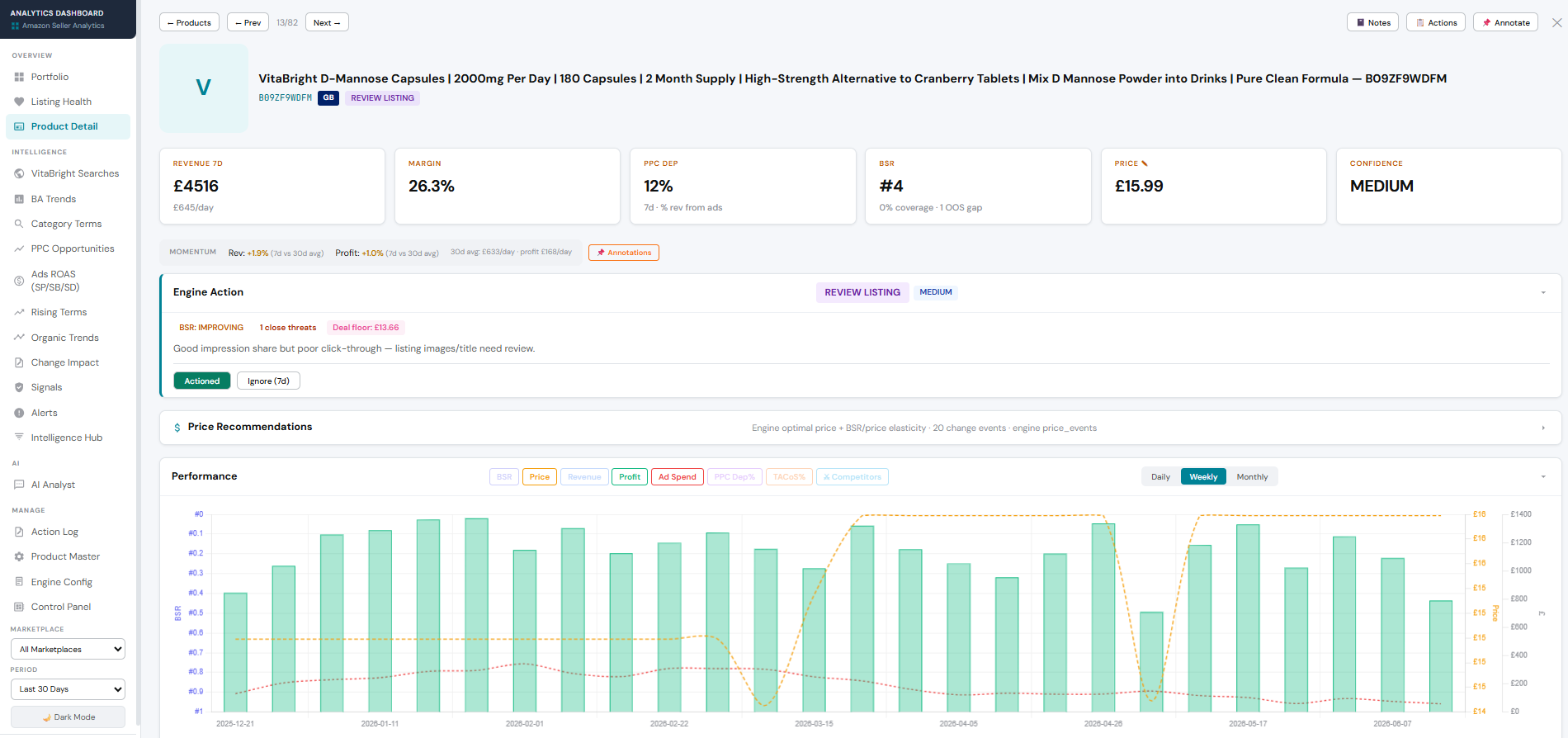
Seller Signals · Product Detail — KPIs, engine action & performance for one ASIN
On one timeline
→Price waterfall + buy box — your own price history and buy-box status, checked AM and PM, so you see exactly when and how price moved.
→Competitor price overlay — rivals' prices plotted on the same chart, so a conversion dip lines up with the competitor move that caused it.
→BSR, ad coverage, revenue & profit per ASIN — rank and ad exposure next to what the SKU actually earns.
→Price Simulator, inline — margin recalc, breakeven units and a referral-threshold warning, right where you're looking at the price.
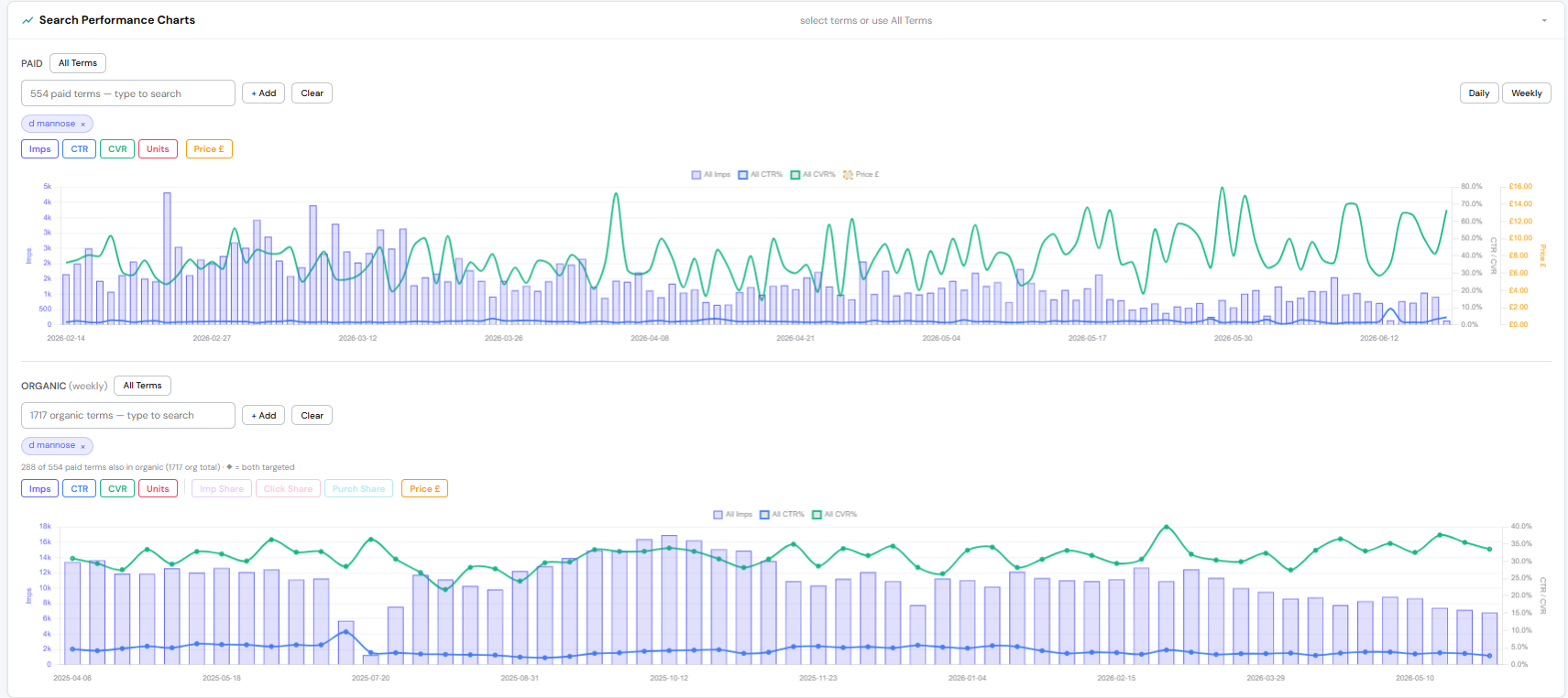
Seller Signals · Search Performance — impressions, CTR, CVR & price, paid and organic
The lever
★
Conversion by price level — the operator's favourite view
The one nobody else puts in front of you: CVR and CTR plotted against your own price. Most SKUs have a band where conversion holds, and a point where it falls away — the deal-eligibility or psychological threshold. Find it, and you can price for margin right up to that line without buying the drop.
On this SKU, conversion held to roughly £[price], then fell about [X] pts above it — so the profitable move was to sit just under the line, not chase volume below it or surrender conversion above it.
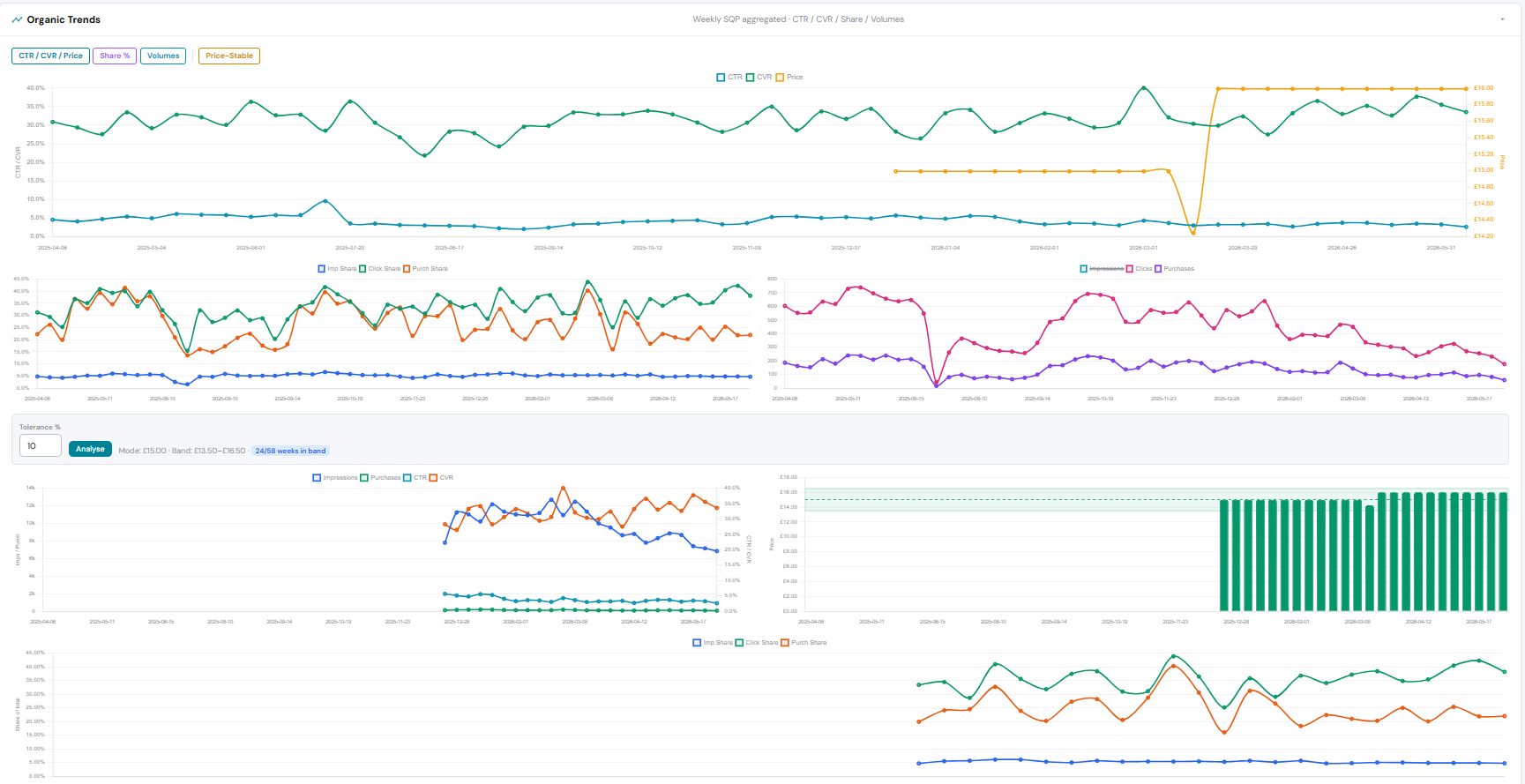
Seller Signals · Organic Trends — conversion (green) held as price (orange) stepped up & held
Why it matters: it turns pricing from a guess into a read — you see the conversion cost of a price before you pay it.
Where it leads
This is the SKU-level lever behind the portfolio result in Module 06 — read conversion against price on every product, hold each one just under its cliff, and the margin compounds across the catalogue. It's not a replacement for how you run the day-to-day; it's the read you make the call from. Built by an operator who needed it, used daily on a real multi-market brand.
Everything on one page
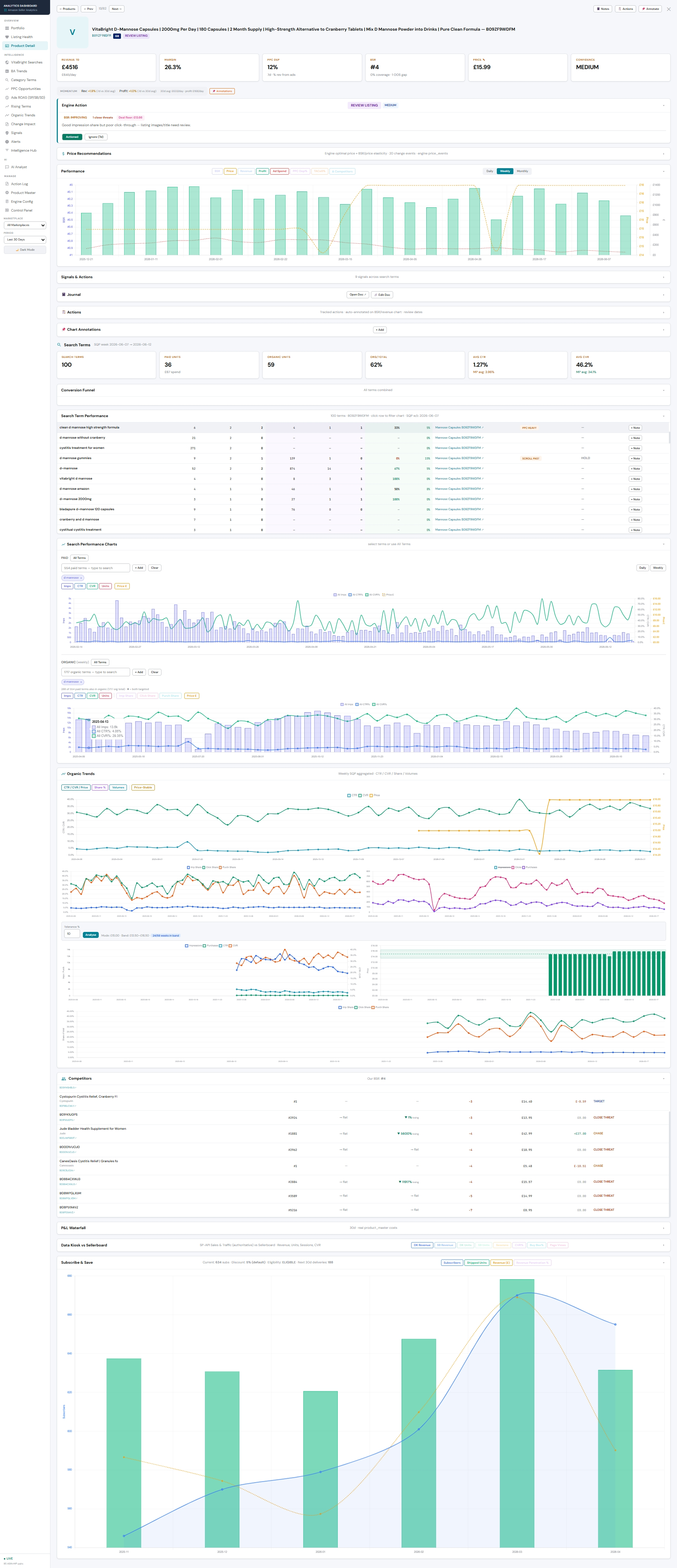
Seller Signals · the full product view — scroll to explore; every section on one page
Want this product view on your own catalogue — price, conversion and competition on one timeline?
See it on your ASINs →
Screenshots are the live Seller Signals dashboard (a real D-Mannose SKU). Example figures in the lever are illustrative pending the brand's own data.